When choosing a keyboard, it’s easy to focus on its appearance, price, or typing feel. However, the keyboard layout is just as important. The arrangement of keys can influence how efficiently you type, enter numbers, navigate documents, and manage everyday tasks.
For office workers, students, and people who spend long hours at a computer, the right layout can make routine work more convenient. A compact keyboard may help save desk space, while a full-size model offers dedicated keys for different tasks.
So, does your keyboard layout affect the way you work? Understanding the differences between keyboard types can help you find an option that better matches your daily needs.
1. Why Does Keyboard Layout Matter?
A keyboard layout determines where essential keys are positioned and how easily you can access them. When the arrangement matches your working habits, everyday tasks can feel more straightforward.
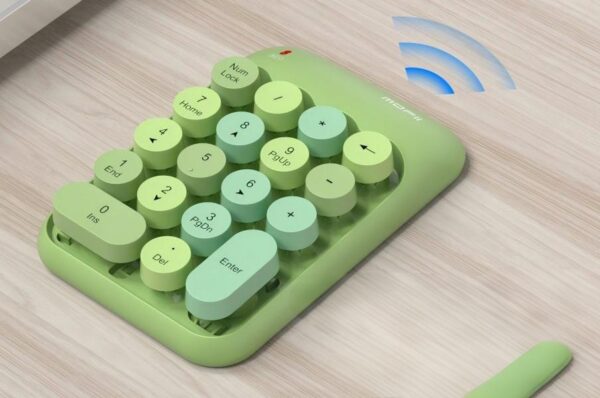
For example, someone who frequently works with spreadsheets may benefit from a dedicated numeric keypad. Entering prices, quantities, or financial figures through a separate number pad can be more convenient than relying exclusively on the number row above the letters.
Writers, students, and office administrators may place greater importance on a familiar typing area, function keys, and navigation controls. These keys help users move between documents, edit text, and perform common operations without constantly searching for commands.
A consistent layout can also support established typing habits. When you know where frequently used keys are located, you can spend less time adjusting to the keyboard and more time concentrating on the task itself.
Of course, a keyboard layout alone cannot guarantee better productivity. Your typing skills, software, and working environment also matter. The goal is to choose a layout that supports the way you actually use your computer.

2. Full-Size vs. Compact Keyboard: Which Is Better?
The two common choices serve different purposes. A full-size keyboard provides more dedicated keys, while a compact keyboard reduces the amount of desk space it occupies.
Full-size keyboards for versatile daily use
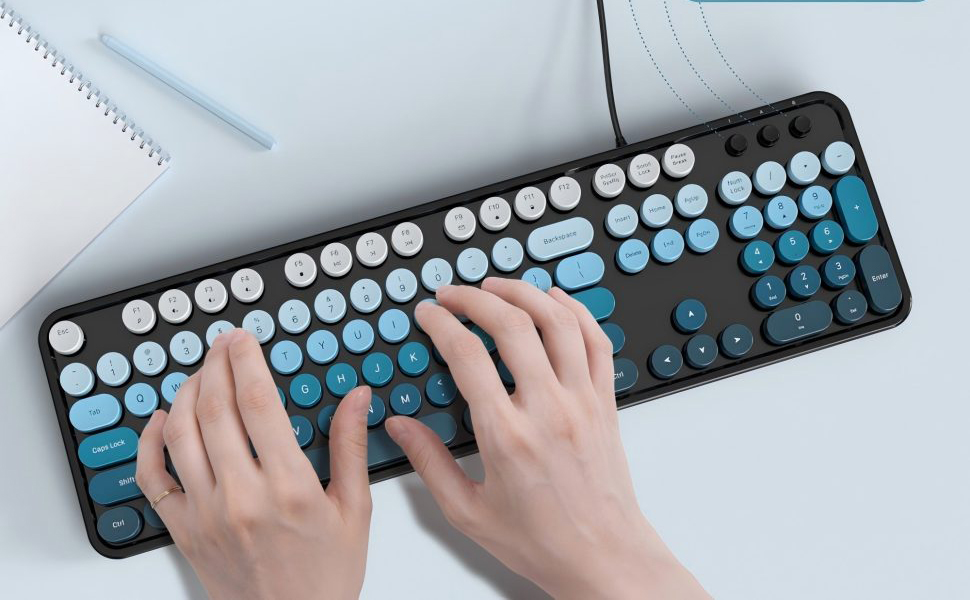
A full-size keyboard with a numeric keypad is often a practical choice for office work, accounting, spreadsheet management, and general computer use. Its layout typically includes a main typing area, function keys, navigation keys, and a separate numeric keypad.
Having these keys available can be helpful when switching between writing, calculations, and document navigation. Users who rely on dedicated keys may also find a full-size layout more familiar and straightforward.
Compact keyboards for space-saving setups
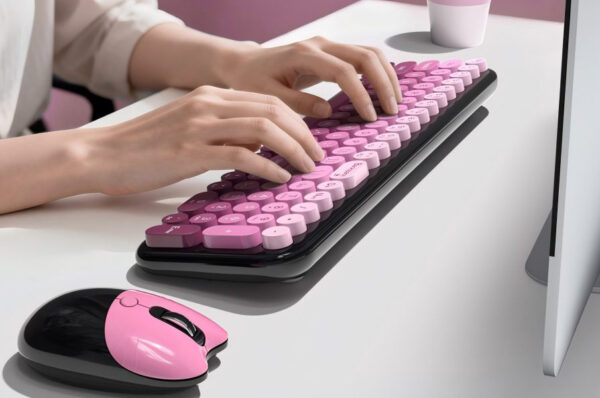
A compact keyboard can be a better fit for smaller desks, minimalist workspaces, or users who frequently travel with their devices. Its reduced footprint leaves more room for a mouse and other accessories.
However, some compact models remove dedicated keys or combine multiple functions into fewer keys. If your work depends on a numeric keypad or frequently used navigation controls, these compromises may affect convenience.
Neither layout is universally superior. If desk space is your main concern, compact designs deserve consideration. If you regularly use a wider range of keys, a full-size keyboard may better suit your workflow.

3. What Features Make a Keyboard More Practical?
Key arrangement is only one part of the overall typing experience. Connection type, typing angle, shortcut availability, and maintenance are also worth considering.
Typing angle and positioning
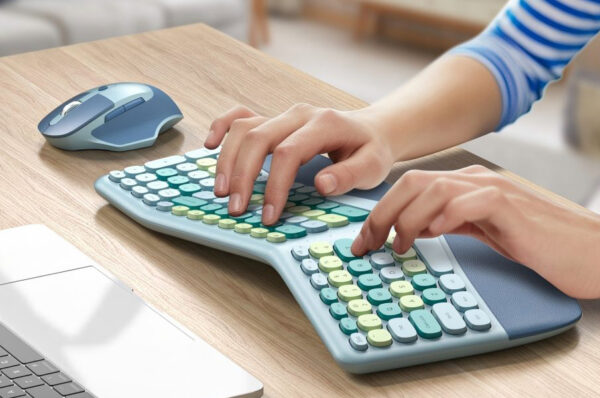
Your keyboard should fit comfortably into your workstation. Adjustable supports can help you change its angle, but comfort also depends on desk height, chair position, and wrist posture. A more pronounced angle is not automatically better for everyone, so choose a position that feels natural.
Connection and setup
A wired keyboard connects directly to a compatible USB port and generally does not require battery charging or a separate wireless receiver. This makes it a straightforward option for fixed office desks, classrooms, and home workstations.
Shortcut functions
Multimedia shortcuts can provide quick access to controls such as volume adjustment, media playback, and screen lock. Their value depends on how often you use them, but convenient access to common functions can simplify everyday computer use.
Cleaning and maintenance
Keyboards collect dust and debris over time. Removable keycaps and suitable cleaning tools can make routine maintenance easier. Before removing keycaps, follow the manufacturer’s instructions to avoid damaging the keyboard.
Considering these details alongside the layout can help you choose a keyboard that remains practical beyond the first few days of use.

4. How Does the MOFii Retro Full-Size Wired Keyboard Support Daily Work?
For users who prefer a traditional layout with distinctive styling, the MOFii Retro Full-Size Wired Keyboard combines a typewriter-inspired appearance with practical features for everyday tasks.
Its 104-key layout includes a dedicated numeric keypad, making it suitable for typing documents, managing spreadsheets, entering data, and studying. The familiar arrangement provides access to dedicated keys without requiring users to rely entirely on secondary key combinations.
The keyboard also features foldable rear supports that create a 7-degree typing angle. This gives users a defined angle when arranging their workstation, although the most comfortable position will depend on individual preferences and desk setup.
For added convenience, the keyboard includes 12 multimedia shortcuts for functions such as volume adjustment, media playback, track switching, email, web homepage access, and screen lock. It also supports WASD and arrow-key swapping, along with a Win Lock function.
Its USB wired connection supports plug-and-play operation without additional software or batteries. The approximately 65-inch cable provides flexibility when positioning the keyboard on a desk, while three indicator lights display Num Lock, Caps Lock, and Win Lock status.
Maintenance is also considered in the design. The keycaps are removable, and a cleaning brush is included to help with routine cleaning.
Together, these features make the MOFii keyboard an option for users who want a full-size layout, straightforward connectivity, convenient shortcuts, and retro styling in one device.
5. Who Should Choose a Full-Size Wired Keyboard?
A full-size wired keyboard may be particularly suitable for users whose daily tasks involve frequent typing, numerical input, or regular use of dedicated keys.
- Office professionals: The numeric keypad and navigation keys can be useful for reports, spreadsheets, and administrative tasks.
- Accounting and data-entry users: Dedicated number keys provide a familiar arrangement for entering figures and managing records.
- Students: A traditional layout can support writing assignments, research, and everyday computer use.
- Home office users: USB connectivity offers a straightforward setup for a permanent workstation.
- Users who value distinctive design: A retro keyboard can add character to a desk while retaining a practical, full-size layout.
However, users who need a highly portable keyboard or prefer a cable-free workspace may want to compare compact or wireless alternatives before deciding.
6. How Can You Choose the Right Keyboard for Your Workflow?
Before purchasing a keyboard, consider three practical questions.
First, which keys do you use most often? If you frequently enter numbers or work with long documents, a dedicated numeric keypad and navigation keys may be valuable.
Second, how much space is available on your desk? A full-size keyboard requires more room, while a compact model can leave additional space for a mouse and other equipment.
Finally, which everyday features will genuinely help you? Wired connectivity, multimedia shortcuts, adjustable supports, and easy-clean keycaps can all be useful, but their importance depends on your habits.
It is also worth checking compatibility with your computer and operating system, particularly if you rely on special function keys. Taking these factors into account helps you make a more informed decision instead of choosing a keyboard based on appearance alone.

Conclusion:
Your keyboard layout can influence how conveniently you complete everyday computer tasks. A full-size keyboard offers dedicated keys for numerical input, navigation, and general typing, while a compact model can be more suitable for limited desk space and portable setups.
When comparing keyboards, consider more than the number of keys. Typing position, connection type, shortcut functions, maintenance, and compatibility all contribute to everyday usability.
The MOFii Retro Full-Size Wired Keyboard combines a 104-key layout, USB connectivity, multimedia shortcuts, adjustable supports, and a typewriter-inspired design. For users who value a familiar keyboard arrangement and practical office features, it is worth considering as part of a well-organized workspace.
Ultimately, the best keyboard is not necessarily the one with the most features. It is the one that matches your working habits, supports your everyday tasks, and fits comfortably into your workspace.