A typical office keyboard does not look like something that should require much thought. It sits on the desk, gets connected to a computer, and handles whatever the workday throws at it. Yet after several hours of typing, data entry, emails, spreadsheets, and system tasks, small design differences become much easier to notice.
Keyboard height, typing angle, layout, and key access all affect how the hands move across the desk. None of these factors can replace good posture or regular breaks, but they can make repetitive office work feel more natural.
For a keyboard intended for long working sessions, practicality usually matters more than complicated features. A familiar layout, a sensible typing angle, and quick access to common functions can make a bigger difference than a long list of specifications.

Start With the Typing Position
One of the first things people notice during extended typing is wrist position.
A completely flat keyboard is familiar, but it does not necessarily suit every user or every desk setup. Raising the rear of the keyboard slightly changes the angle of the hand as it moves toward the keys. The difference may seem small during a short session, yet it becomes more noticeable when typing continues for hours.
MOFii uses a 7° ergonomic tilt design with built-in kickstands. The angle provides a modest lift while keeping the standard keyboard layout intact.
That combination is useful because users do not have to adapt to an unusual keyboard shape just to get a different typing position. The layout remains familiar, while the physical angle changes slightly.
Why Full-Size Still Makes Sense in an Office
There is a strong push toward smaller keyboards, especially on compact desks. That works well for some users, but office work often involves tasks that benefit from having more keys immediately available.
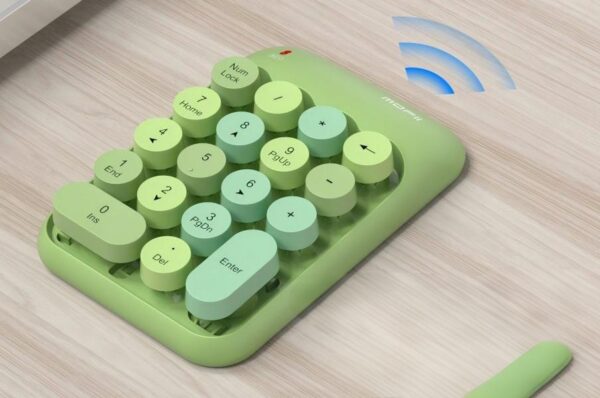
Think about spreadsheet work, accounting, order entry, inventory management, or any job that requires frequent numerical input. A dedicated numeric keypad can save repeated movement between the number row and the main typing area.
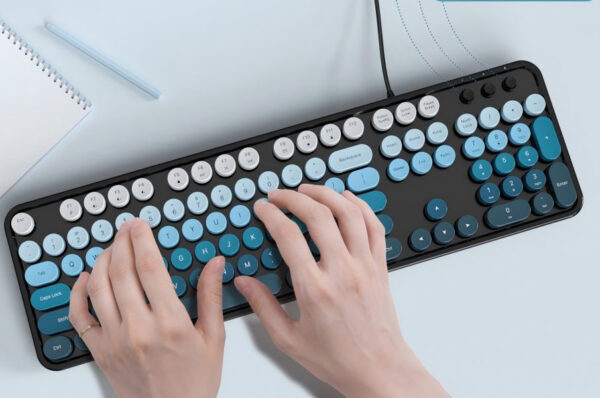
MOFii’s retro full-size layout keeps the numeric keypad alongside the standard keyboard section. That makes the set suitable for regular office work and data entry without forcing users to give up the functions they use throughout the day. The extra size is therefore not just about appearance. In the right workplace, it supports a more practical workflow.
Shortcut Keys Can Save More Time Than Expected
Not every office task involves typing.
Employees may need to adjust volume during a video call, control music while working, lock a screen before stepping away, or manage other common functions. Reaching for another control or opening a menu each time adds a small interruption.
MOFii includes FN multimedia shortcut keys for functions such as media control, volume adjustment, and screen lock.
None of these shortcuts is especially complicated. Their value comes from repetition. When the same action happens many times throughout the week, having it directly on the keyboard keeps the workflow moving.
For an office keyboard, that kind of convenience is often more useful than adding functions that users rarely touch.

Ergonomics Is Also About Repetition
A comfortable desk setup is not only about keeping the wrist in a particular position. Office work involves thousands of repeated movements. Fingers travel across the same keys, the hands return to familiar positions, and the user often performs similar tasks for long periods. When a keyboard makes those movements awkward, the effect can build gradually rather than appearing immediately.
That is why a useful ergonomic office keyboard does not necessarily need a radical shape. Familiar key placement, a workable typing angle, and easy access to frequently used functions can already improve the overall experience. The goal is to make routine movement feel less forced.
A Wired Connection Still Has Its Place
Wireless keyboards have obvious advantages, but not every office workstation needs wireless hardware.
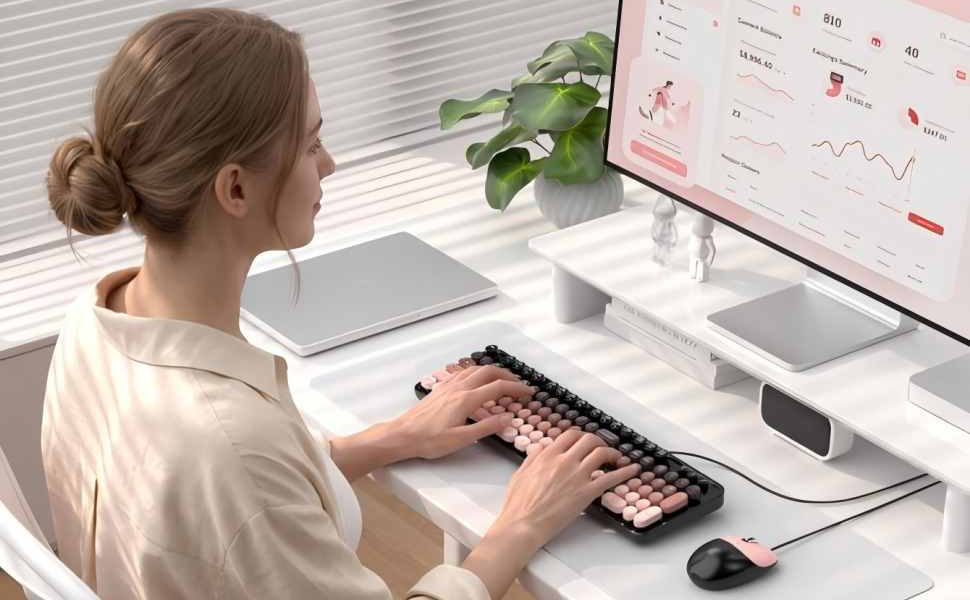
A permanent desktop usually stays in one place. In that environment, a wired keyboard has one simple advantage: connect it and use it. There is no battery to recharge, no pairing process, and no need to install software for basic operation.
MOFii’s keyboard uses a plug-and-play wired USB connection. It does not require batteries or additional drivers, which makes it straightforward for office deployment.
This can be especially practical for shared workstations, reception desks, classrooms, computer rooms, and other environments where devices need to work consistently without adding another maintenance task.
The Mouse Should Not Be an Afterthought
Keyboard comfort gets most of the attention, but the mouse is part of the same daily routine.
Office users often move between typing and pointing hundreds of times during a working day. A keyboard and mouse set therefore needs to work as a pair rather than treating the mouse as an extra accessory.
The MOFii set includes a wired mouse with an auto-sleep function. When the mouse remains inactive, the power-saving feature reduces unnecessary power use. A click wakes it when work resumes. It is a small detail, but this is exactly where practical office design often works best: removing little inconveniences without requiring the user to think about them.
Compatibility Should Be Boring
For general office equipment, “easy to use” is usually a good thing. A keyboard should not require an IT project just to get started. MOFii’s set works with Windows laptops and desktop computers, making it suitable for common office environments without a complicated software setup.
That simplicity matters when a company needs to equip multiple workstations. A plug-and-play connection and broad Windows compatibility can make installation and replacement much easier.

Retro Appearance, Practical Office Features
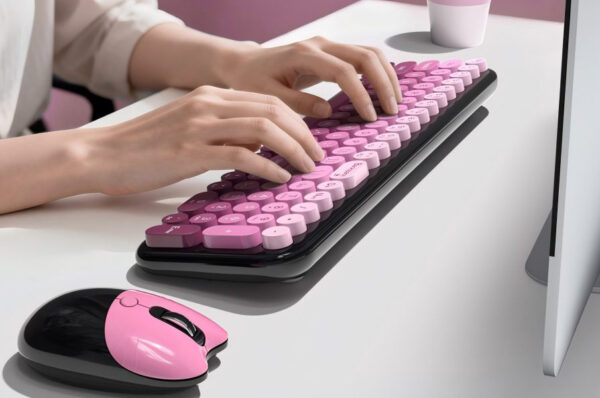
The retro style is probably the first thing people notice about the MOFii keyboard, but the appearance is only part of the product. Underneath that visual direction is a conventional full-size layout with a numeric keypad, dedicated FN multimedia shortcuts, and a 7° tilted typing position. The wired USB connection keeps the setup simple, while the matching mouse adds a basic power-saving function.
That combination gives the keyboard a more distinctive appearance without turning it into a novelty product. It can still handle the routine work expected from a desktop keyboard. For offices that care about both workspace style and everyday usability, that balance can be useful.
What Actually Matters When Choosing an Office Keyboard?
There is no need to judge an office keyboard by the number of features listed on the box.
Start with the type of work being done. Heavy data entry makes a numeric keypad more valuable. Long typing sessions make the keyboard angle and hand position more relevant. Frequent media or system controls make shortcut keys more useful.
The desk itself also matters. A fixed workstation may benefit from the simplicity of a wired connection, while a flexible shared environment may place more emphasis on easy setup and compatibility. In other words, good keyboard design starts with the work, not with the feature list.
MOFii Ergonomic Keyboard and Mouse Set
MOFii brings these practical details together in a full-size keyboard and mouse set aimed at everyday office work.
The keyboard uses a retro full-size layout with a numeric keypad, making it suitable for data entry and general desktop tasks. FN multimedia shortcut keys provide quick access to media, volume, screen lock, and other commonly used controls.
A 7° ergonomic tilt gives the keyboard a raised typing position, while the built-in kickstands allow the angle to remain stable on the desk. The wired USB connection keeps setup simple and requires no batteries or additional drivers.
The accompanying wired mouse adds an auto-sleep power-saving function, and the set supports Windows laptops and desktop computers.
Taken together, these are not complicated features. They are small design decisions aimed at making a familiar office setup easier to use throughout a normal working day.
Final Thoughts:
Keyboard ergonomics does not always come down to dramatic redesigns. For many office users, comfort comes from a collection of smaller details: a layout that fits the work, a typing angle that feels natural, shortcut keys that reduce unnecessary movement, and a connection that works without extra setup.
A full-size ergonomic keyboard can be a practical choice for people who spend much of the day typing, entering numbers, or switching between common desktop functions.
MOFii combines those requirements with a retro design, numeric keypad, 7° tilt, multimedia shortcuts, wired USB connectivity, and a matching auto-sleep mouse. The result is a setup that keeps the familiar feel of a traditional office keyboard while paying more attention to how people actually use it over a long working day.