A mouse click may not seem like a big deal—until you’re working in a quiet office, studying late at night, or sharing a room with someone who is already asleep. That’s where a wireless noiseless mouse can make a surprisingly noticeable difference. It gives you the freedom of wireless use while keeping everyday clicking much quieter.
But choosing a good wireless mouse isn’t simply about finding one with a “silent” label. Comfort, connection stability, DPI settings, size, battery use, and compatibility all affect how enjoyable the mouse is to use. So, what should you actually look for when choosing one?
🤫 What Makes a Wireless Noiseless Mouse Different?
The biggest difference is, of course, the sound. Traditional mouse buttons can produce a sharp clicking noise that becomes distracting when you’re using the mouse frequently. A wireless noiseless mouse is designed with quieter buttons to reduce that clicking sound without making the mouse feel unresponsive. This can be particularly useful in shared offices, libraries, classrooms, bedrooms, or any other quiet environment. You still get the familiar click-and-control experience, just without the constant noise in the background. For people who spend several hours a day browsing, working, studying, or editing documents, that small change can make the workspace feel much more comfortable.

📡 Wireless Should Give You More Freedom
Nobody wants a wireless mouse that constantly disconnects or feels delayed. That’s why the wireless connection is just as important as the silent buttons.
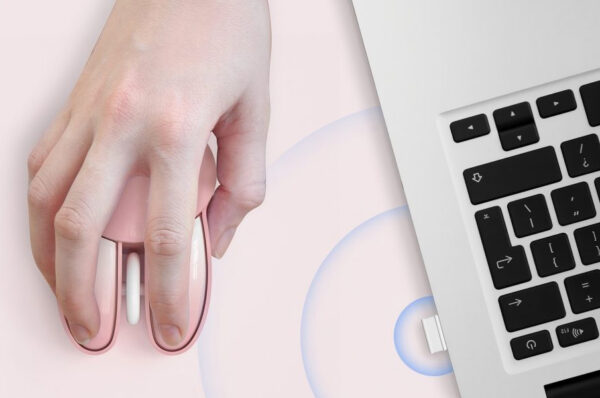
A reliable 2.4G wireless connection provides a simple way to use your mouse without keeping a cable across your desk. With a transmission distance of up to 35 feet in an unobstructed environment, you can move around your workspace without being tied closely to your computer.
The MOFII wireless noiseless mouse also uses a USB receiver with plug-and-play setup, so there is no complicated software or driver installation. Plug in the receiver, switch on the mouse, and you’re ready to work.
🎯 Why Does DPI Matter?
DPI is one of those specifications that many people see but don’t always pay attention to. In everyday use, however, it can change how the mouse feels.
A lower DPI setting generally gives you more controlled cursor movement, which can be useful when working with documents or making precise selections. A higher setting allows the cursor to move farther with less physical movement, which can be convenient when navigating a larger screen.
The MOFII mouse offers three DPI levels—800, 1200, and 1600—giving users the flexibility to choose the sensitivity that feels right for different tasks. You don’t need an extreme DPI setting for normal office work; having a few practical options is often more useful.

✋ Comfort Matters More Than a Long Specification List
Your hand doesn’t care how impressive a product specification sounds. It cares about whether the mouse feels comfortable after you’ve been using it for several hours.
An ergonomic, contoured shape helps the mouse sit naturally in your hand and can reduce unnecessary pressure during everyday use. This becomes especially important for people who spend much of their working day moving between web pages, documents, spreadsheets, and other applications.
The MOFII wireless noiseless mouse is designed with a compact ergonomic shape that is easy to hold while remaining lightweight enough for everyday use. It’s a simple detail, but comfort is often what separates a mouse you enjoy using from one you quickly want to replace.
🐱 Why Does a Mouse Have to Look So Serious?
Computer accessories don’t always have to look exactly the same. If your workspace has a little personality, your mouse can too.
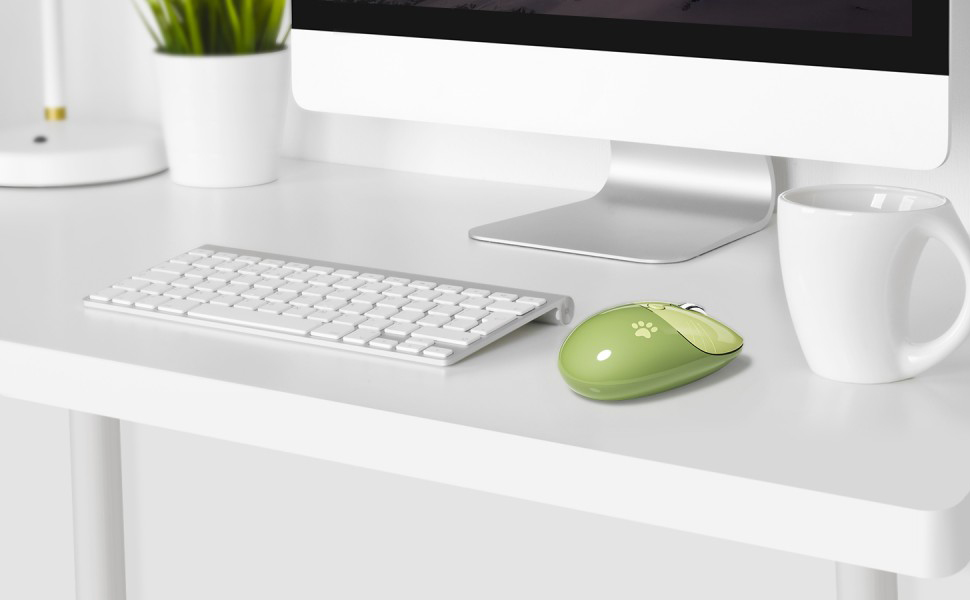
MOFII takes a different approach with its adorable cat-shaped wireless mouse. The warm two-tone finish, combined with small whisker and paw-print details, gives it a playful appearance without making it difficult to use as an everyday office accessory.
For students, home-office users, casual computer users, and anyone who prefers something more distinctive than a standard black mouse, the design can be just as appealing as the functionality.
🎒 Small Enough for Work, Study, and Travel
A good portable mouse shouldn’t take up half of your laptop bag. If you’re regularly moving between home, the office, school, cafés, or other locations, a compact design makes a real difference.
The MOFII mouse is lightweight and easy to carry, so it can fit into a laptop bag, backpack, or even a pencil case without taking up much space. The wireless design also means there’s no mouse cable to wind up or untangle every time you move. It’s the kind of accessory you can simply put in your bag and forget about until you need it.
💻 Check Compatibility Before Buying
A wireless mouse isn’t very useful if it doesn’t work with your device. Fortunately, most modern wireless mice support a wide range of operating systems, but it’s still worth checking before making a purchase.
The MOFII wireless noiseless mouse is compatible with Windows, Mac OS, and Linux, making it suitable for a variety of computers and everyday working environments. The plug-and-play USB receiver also keeps setup straightforward, without requiring additional drivers.
Whether you’re using a laptop for work, a desktop at home, or a computer in a shared workspace, broad compatibility makes the mouse easier to use across different devices.

🔋 What About the Battery?
Another advantage of a simple wireless mouse is that you don’t need to deal with a charging cable every day. The MOFII mouse uses a single AA battery, providing a straightforward power solution without adding another rechargeable device to your desk.
For users who prefer simple accessories with minimal setup, this can be a practical choice. Keep a spare battery nearby, and you can quickly replace it when necessary.
🌟 What Should You Look for in a Wireless Noiseless Mouse?
If you’re comparing different wireless noiseless mouse options, don’t focus on just one feature. A better choice is usually the one that balances several everyday needs.
| Feature | Why It Matters |
|---|---|
| Silent clicking | Keeps noise down in quiet environments |
| 2.4G wireless | Provides convenient cable-free use |
| Adjustable DPI | Lets you choose a comfortable cursor speed |
| Ergonomic shape | Helps reduce hand fatigue |
| Compact design | Easier to carry and store |
| USB plug-and-play | Simple setup without extra drivers |
| Wide compatibility | Works across different computer systems |
| Single AA battery | Easy and convenient power replacement |
A mouse doesn’t need dozens of complicated functions to be useful. For most people, stable wireless performance, comfortable handling, quiet buttons, and a size that fits their lifestyle are far more important.

💡 Is a Wireless Noiseless Mouse Worth It?
If you regularly work in quiet surroundings or simply dislike the constant sound of mouse clicks, the answer is yes. The difference may seem small when you first switch, but after using a quieter mouse for a while, going back to a loud one can feel surprisingly noticeable.
It’s also a practical upgrade for people who move around frequently. A compact wireless design removes the cable from your desk, while adjustable DPI and an ergonomic shape make everyday navigation more comfortable.
In other words, a wireless noiseless mouse isn’t about adding unnecessary technology to your desk. It’s about making a basic computer accessory work a little better for the way you actually use it.
🐾 Why Choose MOFII?
MOFII focuses on making everyday computer accessories more practical while giving them a distinctive visual identity. Instead of treating design and usability as separate ideas, the brand combines functional features with approachable designs that fit naturally into modern work, study, and home environments.
The MOFII wireless noiseless mouse brings together quiet clicking, stable 2.4G connectivity, three DPI settings, an ergonomic shape, compact portability, and broad operating-system compatibility. Its cat-inspired design also gives it something that many conventional office mice lack—a little personality. For users who want a mouse that is quiet, portable, easy to use, and a little more fun to look at, it offers a practical balance between everyday performance and design.
Final Thoughts:
Choosing a wireless noiseless mouse doesn’t have to be complicated. Start with the things you’ll notice every day: how loud the buttons are, how comfortable the shape feels, whether the wireless connection is reliable, and whether the size works for your routine.
Features such as adjustable DPI, plug-and-play setup, wide compatibility, and simple battery replacement can make the experience even easier. And if the mouse also happens to look good on your desk, that’s certainly a bonus. For work, study, travel, or everyday browsing, a well-designed wireless noiseless mouse can be a small upgrade that makes your computer experience noticeably more comfortable.